
Is Bambu Lab Worth It for Small Business Owners? Best Alternatives to Bambu Lab for Professional Use
Last Updated: January 2026
Reviewed by: ShoppingSpout Savings Analysts
3D Printing used to be a hobby for tech geeks, but now it has become an essential tool for small businesses. More business owners are now using 3D Printers for prototyping, testing product designs, and creating small products to sell, or even marketing tools. The brand that is getting a lot of attention in the world of 3D Printers is Bambu Lab. Manyhave been actively searching for terms like Bambu Lab 3D Printer, Bambu Lab X1 Carbon, Bambu Lab A1 review, Bambu Lab P1S review, and Bambu Lab accessories.
As a small business owner, you might be asking: Is Bambu Lab worth buying? Or are there other 3D printers that make more sense, especially if you’re looking for a long-term, multi-purpose production tool?
This decision isn’t about hype; it’s about real value. In this blog, I’ll break everything down in simple terms. No tech lingo, no complicated explanation, just practical information you can actually use.
What makes the Bambu Lab Printer stand out?
The rise of Bambu Lab in the world of 3D Printers has been impressive due to the combination of their speed, automatic functions, and smooth user experience.
Speed & Automation
Bambu Lab 3D Printers, particularly the X1 carbon boasts very high print speed with a coreXY motion system, advanced sensors, and a highly tuned framework, which makes the prints super smooth with the highest quality possible. This makes the 3d printer best for drafts, checking designs before full production, and small batch production.
Automatic setup, self-calibration, and built-in monitors are features that reduce the manual adjustments. For businesses without in house printer specialist, this appliance-like setup saves time and minimizes error, setting it apart from traditional desktop printers.
Multi-material ecosystem
Bambu Lab combines multi-material printing and easy-to-use software with day-to-day reliability, which makes it a well-designed system for regular and consistent users. It’s higher end model, with multi-material and multi-color printing, requires very little manual setup, which allows small businesses to produce more detailed prototype which mixes flexible and solid parts in a single print, and it also creates polished samples without having to pause, reset, or run multiple printing jobs.
On the software side, all the tools are built to work together, such as preparing the print file, monitoring prints remotely, and managing multiple prints, which is easy even for someone who doesn't have much experience in such fields or with 3D Printers.
Cost consideration
For small businesses, cost isn't only about upfront price; it's about the total cost of ownership (TCO), which includes printing price, maintenance material, downtime, and ecosystem lock-in.
Printing pricing
Bambu Lab presents models with a very vast price range that fit different business needs and budgets.
AI MINI $200-$300 this is entry level 3d printer, which is compact, great for small parts, and simple prototypes.
A1/P1S/P2S $250-$600 this is a mid range 3d printer, also known as “all round,” with a larger build volume and optional AMS support, which is suitable for small business workflow.
X1 carbon $1,199-$1,449, which is a premium flagship 3d printer with an enclosed heated chamber advance sensors, and full AMS integration for demanding production environments.
For many small businesses, this create sweet spot where you get professional-grade feature automation and reliability without a huge investment, which requires an industrial system.
Ecosystem and material
While Bambu Lab 3D printers use third-party filaments, the AMS works best with Bambu Lab’s own system, which can be pricier than open-market options. Some users also pointed out the indirect cost, which is tied to brand-specific features and firmware control, like cloud service, which is more restrictive than open platforms.
Maintenance & parts
Bambu Lab 3d printer are designed as sealed automated systems that require less hand-tuning, and brand-specific components can cost more and take longer to get than commonly available open source parts.
Real World Performance: How Printers Actually Work, Day-to-day business use
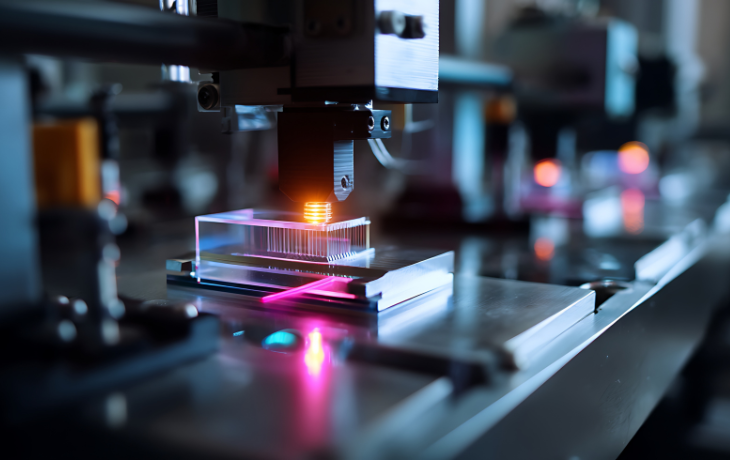
For Small Business owners, A 3D Printer’s performance is not the number shown on the website; it's actually what happened afterwords you press “Print” and walk away from the machine, and how the 3D Printer works. Here's what matters in daily business use.
Print Quality & speed
Bmabu Lab 3d printers deliver very high-quality prints with minimal user intervention. It’s built-in automated calibration ensur sharap details and precise shapes even for complex parts. Speed is also a big factor for quick work done for small business owners. Bambu Lab’s coreXY system and its fast printing speed help get the job done quickly without sacrificing surface quality, unlike many traditional style 3d printers.
Ecosystem locking
Bambu Lab 3d printer offers a strong, well-integrated ecosystem, but it isnt fully open. The company has faced criticism over cloud dependency and firmware changes that tighten the control over third-party, though local LAN printing options exist. For small businesses that prefer control over slicer, material, and local workflow without depending on cloud features, this could be an important factor to keep in mind when evaluating the platform.
Alternative: pro cons and who they’re for
Even the strongest 3d Printer isn’t for every business owner. Different workflow budgets and priorities call for different 3d printers. These are the best regarded alternatives for bambu lab 3d printer, along with the strength limitations, and the type of business they tend to suit best.
Prusa
Best for: Prusa 3d printers are best if your priorities are open ecosystem, flexibility, large build volume, and industrial-friendly reliability.
Prusa has been established since long time and has been known in the world of 3d printers due to robust hardware, open source software, and firmware. The Core One and Core One L 3D Printers model combine enclosed build chambers, coreXY motion system, and their genius build volume. that is up to approximately 300 × 300 × 330 mm, which makes it great for engineering prototypes, tooling, components, and functional end-use parts that require strength and material versatility.
One of the biggest pros of Prusa 3d printers is that it’s an open ecosystem, which gives the business owner free hand to choose their preferred slicer, workflow, and material without being locked in to a single brand or platform. The replacement parts are easily available, documentation is through and it’s long term support is a strong point, which is quite appealing to business owners who are looking for an extended period of time and in-house maintenance.
Benefits
-
An open ecosystem that gives freedom to choose tools like PrusaSlicer and third-party material.
-
Strong community support and easy access to spare parts.
-
Broad material compatibility, including high-temperature engineering filaments.
Drawbacks
-
Initial setup and tuning may require more hands-on knowledge compared to Bambu Lab’s highly automated approach.
-
Out-of-the-box print speeds are generally slower than Bambu Lab’s “plug and print” workflow.
Who should use these
Prusa Core one 3d printer is a better choice for engineers, product designers, and small businesses that value material freedom, open workflows, and long-term serviceability more than maximum automation and speed.
Creality & Anycubic High-Speed 3D Printers
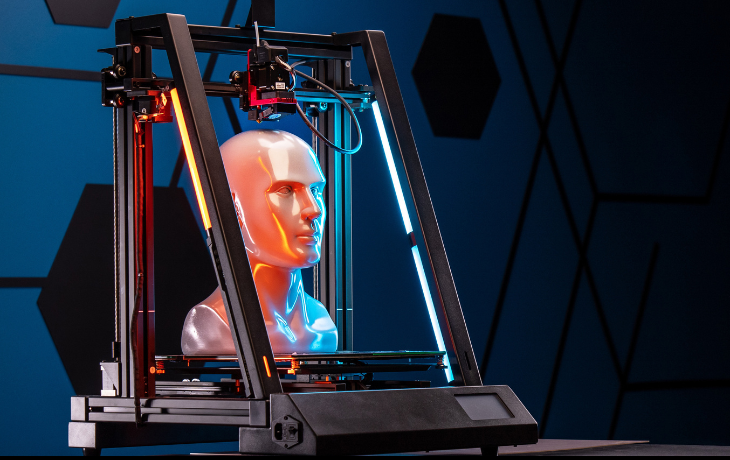
Best for: Budget-conscious operations or businesses looking to add supplemental machines for simpler production runs.
Creality and Anycubic make solid 3D Printers that won’t break the bank. These 3D Printers cost between $250 to $700; The Anycubic series shows that you don’t have to spend a fortune for fast printing and handy features. The businesses that want to try out new ideas, experiment with the designs, and boost production, but want that to be budget-friendly Than these 3d Printers suit them well.
The best advantages of these brands are affordability. The lower hardware cost makes it easier to deploy multiple machines or replace units as needs change. Many models also support higher print speeds than older biggner-level printers, helping reduce turnaround times for simple parts. In addition, their popularity has created large user communities, making it easy to find upgrades, modifications, and shared profiles, along with broad compatibility with open slicers.
Benefits
-
Lower upfront hardware cost compared to premium brands.
-
Competitive print speeds on newer high-speed models.
-
Large community support, mods, and open slicer compatibility.
Drawbacks
-
Reliability and long-term consistency may lag behind platforms like Bambu Lab and Prusa.
-
Software and hardware ecosystems are less unified.
-
Multi-color printing and advanced workflows can be limited or inconsistent on some models.
Who should be using these 3d printers
These printers are a perfect fit for small workshops. hobby-driven people, or teams that rarely need prints. They are also good for businesses experimenting with multi-printer setups, where cost and flexibility matter more than automation and tight integration.
Resin Printing Alternatives (e.g., Piocreat Halot-X1 for Detail)
Best for: If one’s working on super fine detailed products such as jewelry, prototype and dental products, then resin 3d Printers like Piocreat Halot-X1 work best for them.
These kinds of 3d Printers focus on detailed work and surface quality rather than strength or big size. These 3D Printers use liquid resin and light to create finely detailed features and smooth finishes that 3d printer often struggle to do. For the businesses that produce small, detailed products, resin printing can give results that has resamblence to injected molded and cast parts.
However, resin printing comes with a different workflow. While the machines themselves are often compact and relatively affordable,e the process requires additional steps after printing. After getting the job done parts needed to be washed and cured carefully because the resin material demands careful handling. Due to these extra steps and safety measurements, resin 3D Printers work best as a specialized tool rather than an all-around production machine.
Benefits
-
Exceptional surface detail and fine resolution.
-
Smooth finishes with minimal visible layer lines.
-
Due to their smaller size, these are suitable for small workspaces.
Drawbacks
-
Haneling resin requires proper safety measures, including ventilation and protective gear. After getting the job done few steps must be followed, such as washing and curing, it adds time and makes it complex.
Who should choose this
These kinds of printers are well-suited for those businesses that require detailed work and for those that require result to be flawless and a clean finish, instead of general prototyping and big functional parts. These work best alongside FDM printers rather than completely replacing them.
Ultimaker S-Series and Other Established Prosumer Brands
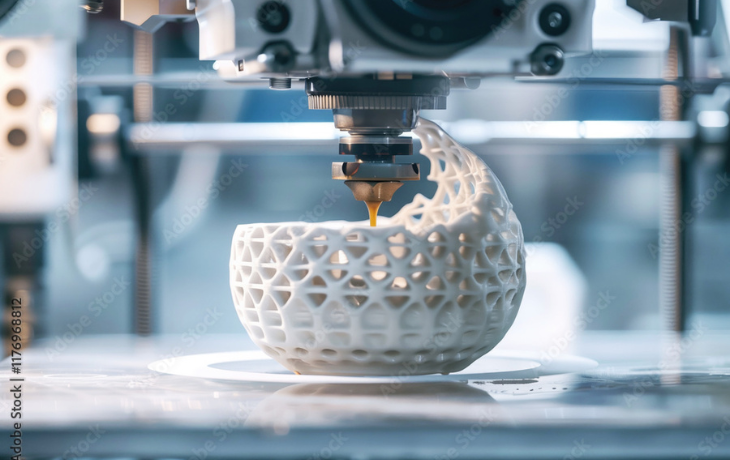
Best for: Enterprise environment and design studios that require certified workflow, standardized materials, and professional-grade support.
Ultimaker is a well-known name in professional 3D printing known especially for machines that are designed around reliability repeatable results, and enterprise integration The S-Series printers offer features such as dual extrusion, enclosed build environments and compatibility with a wide range of professional and engineering grade materials The ecosystem of Ultimakers is built to work smoothly with industry standard slicers and structured workflowswhich makes it appealing to the organizations that need consistency across teams and locations.
Though this structural approach often means a much higher price. Ultimaker 3D Printers are priced for professional and enterprise users; the expenses of materials, maintenance, and service contracts can be quite high. For many small businesses, these features may be too much for daily prototyping or light production work.
Benefits
-
Dual extrusion capabilities and access to professional-grade materials.
-
Strong enterprise support documentation and service options.
-
Well-integrated workflows suited for regulated or standardized environments.
Drawbacks
-
Higher upfront and long-term ownership costs.
-
The features and complexity of the setup may be unnecessary for many small businesses.
Who should choose this:
Ultimaker S-Series printers are best suited for agencies, product design teams, and manufacturers that prioritize standardized, high-end output certification-ready workflows and long-term enterprise support over cost efficiency and automation speed.
Choosing the Right Printer for Your Business
Here’s an easy way to think about your decision based on how you’re actually thinking about using the printer in your day-to-day life.
If you value speed, automation, and minimal setup.
Bambu Lab printers are best suited for businesses that want fast results without spending time on constant tuning or troubleshooting. Features, like automated calibration, well-tuned presets, and tightly integrated software, make them easy to set up and scale even for teams without dedicated 3D printing specialists.
Good for: Etsy and Shopify product creators, rapid prototyping studios, small fabrication shops, and businesses that value quick turnaround times and a “set-it-and-run” workflow.
If priority is open ecosystem & material flexibility.
Prusa models shine especially where custom materials or open slicer chains matter.
It’s best suited for engineering studios, research, and development makers with in-house material testing.
If you’re budget-conscious or experimenting. Creality and Anycubic models offer entry points, possibly as supplementary machines.
Who should choose this:
Businesses adding secondary printers for basic parts, small workshops with occasional printing needs, or teams that want standby capacity for less critical jobs.
Final thought
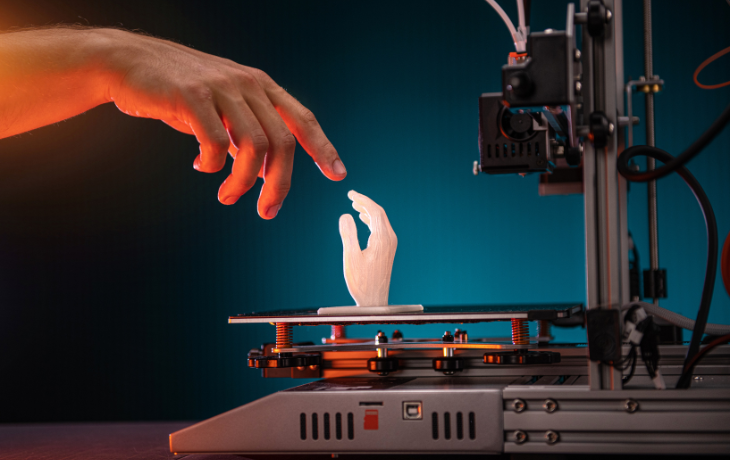
There is no such thing as a perfect 3d printer. Only the one that fits your business needs.
Bambu Lab 3d printers stand out for their combination of speed, a tightly integrated ecosystem, making it a strong choice for those small business owners who want consistent and high quality result with low technical efforts. Its features, such as farm manager software and automated workflow support, scale operations while keeping daily printing simple and reliable.
That said, not every workflow fits this mode. If your business prioritizes full control over materials, high-temperature engineering polymers, or complete flexibility without vendor restrictions, alternatives like Prusa CORE One or other advanced industrial-grade 3d Printers may better meet those needs. These systems focus on hands-on tuning and customization, making them perfect fir for for engineering teams, research labs, or businesses that require specialized materials and open workflows.
The key takeaway is to evaluate your real-world use, including prototype complexity, material requirements, expected print volumes, and your team’s skill level, rather than just comparing specs or marketing claims. Choosing a 3D printer that fits the way your team actually works will save time, reduce frustration, and maximize the return on your investment, whether you go with a highly automated platform like Bambu Lab or an open, flexible system like Prusa.
Recent Posts
-
 How to Choose the Best All-Round School Shoes: Top 5 Picks
-
 Zero-Turn Mower Deals: Save Big on Top Brands This Season
-
 Husqvarna Lawn Mower Deals 2026: Best Sales, Coupons & Clearance
-
 Smart Shopping Tips to Save Big on Back-to-School Supplies
-
_lIDie4tDFw.webp) Best Independence Day Deals 2026: Top Picks for July 4th us
Best Independence Day Deals 2026: Top Picks for July 4th us
Categories
- Back To School Deals
- Best 3D Printer for Small Business Owners
- Best Product Reviews
- Black Friday
- Budgeting Tips
- Crafts
- Cyber Monday
- Fashion
- Fathers Day
- Food & Beverages
- Gifts & Flowers
- Halloween
- Health & Fitness
- Hobbies and Crafts
- Home & Garden
- Mothers Day
- Parenting & Family
- Pets
- Seasonal & Holidays
- Technology and Gadgets
- Tips & Tricks
- Travel and Leisure
- VPNs Services
- Women Fashion
- Women’s Apparel and Clothing